Color Gamut Calculator: sRGB, NTSC & DCI-P3 Conversion
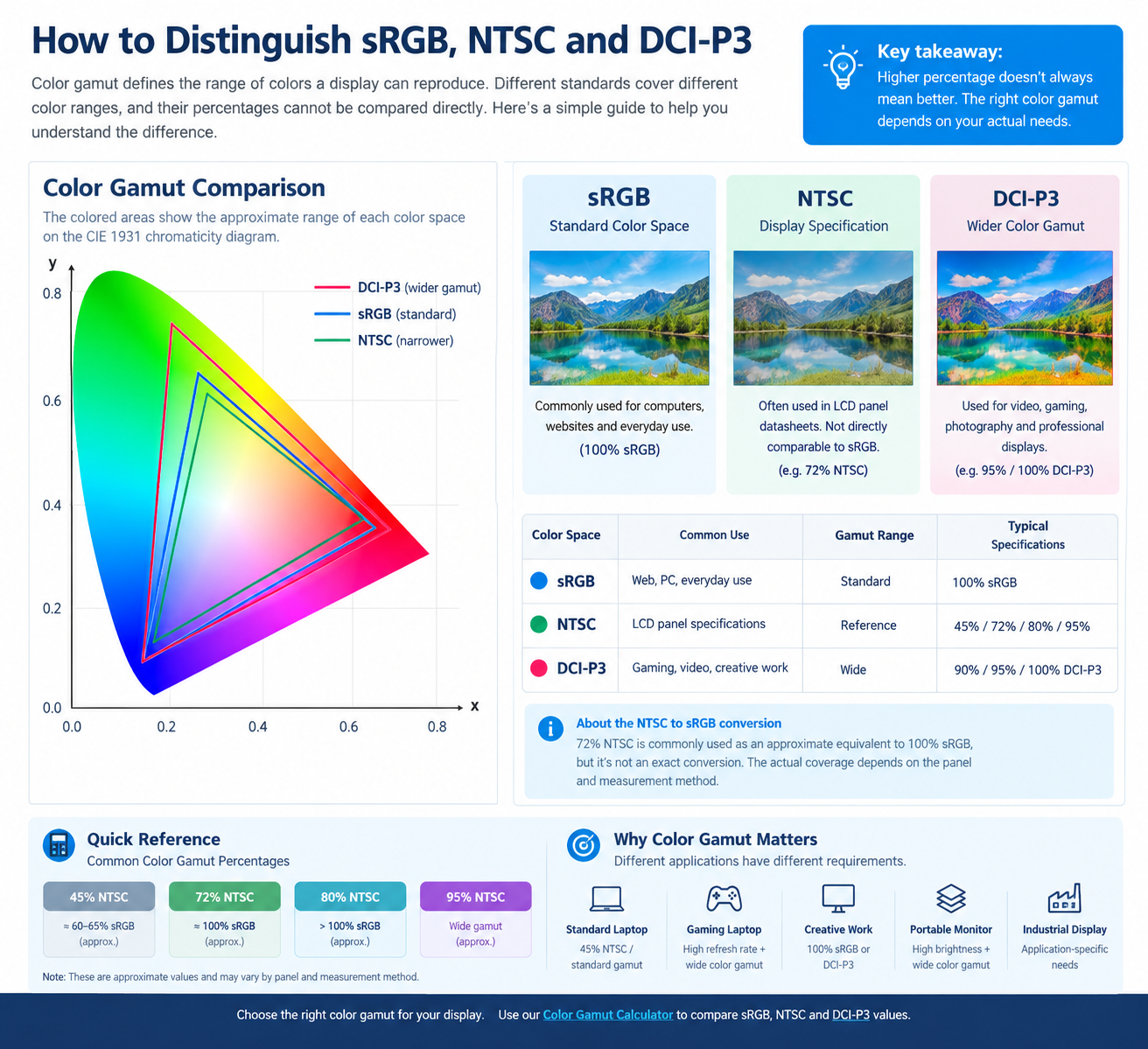
Color Gamut Explained: sRGB, NTSC and DCI-P3
When choosing a laptop LCD panel, portable monitor, or industrial display, you may see specifications such as 100% sRGB, 72% NTSC, or 95% DCI-P3.
But what do these numbers mean?
What Is Color Gamut?
Color gamut refers to the range of colors that a display can reproduce. A wider color gamut can display a broader range of colors.
For LCD panels, common color-gamut standards include sRGB, NTSC, and DCI-P3.
What Is sRGB?
sRGB (Standard Red Green Blue) is one of the most common color spaces for computers, websites, and digital images.
A display rated at 100% sRGB can cover approximately the full sRGB color space.
It is widely used for laptops, monitors, web content, and everyday computing.
What Is NTSC?
NTSC is another color-gamut specification commonly found in LCD panel datasheets.
You may see:
• 45% NTSC
• 72% NTSC
• 80% NTSC
• 95% NTSC
NTSC and sRGB are different color spaces, so their percentages cannot be directly compared.
How Is NTSC Compared with sRGB?
As a general industry reference:
72% NTSC ≈ 100% sRGB
This is an approximate comparison, not an exact conversion. Actual color-gamut coverage depends on the panel and measurement method.
For accurate specifications, always check the original LCD panel datasheet.
What Is DCI-P3?
DCI-P3 is a wider color space than sRGB and is commonly used for modern video, gaming, photography, and professional displays.
Common specifications include:
• 90% DCI-P3
• 95% DCI-P3
• 100% DCI-P3
A higher DCI-P3 coverage generally indicates a wider color gamut.
sRGB vs NTSC vs DCI-P3
Color Space
Common Use
Gamut
sRGB
Web, PC, everyday use
Standard
NTSC
LCD panel specifications
Reference
DCI-P3
Gaming, video, creative work
Wide
Remember: 100% sRGB and 100% DCI-P3 are not directly equivalent, because they represent different color spaces.
Why Does Color Gamut Matter for Laptop LCD Panels?
Color gamut is an important specification when choosing a replacement or upgrade LCD panel.
For example:
Standard laptop:
45% NTSC / standard gamut
High-color-gamut laptop:
100% sRGB or higher
Gaming & professional display:
High refresh rate + wide color gamut
However, color gamut is only one part of display performance. Resolution, brightness, contrast, refresh rate, response time, and compatibility should also be considered.
Use Our Color Gamut Calculator
Want to quickly compare different color-gamut specifications?
Use our Color Gamut Calculator to compare sRGB, NTSC, and DCI-P3 values.
For laptop LCD replacement, portable monitor projects, and industrial display applications, always check the complete panel specifications before making a selection.